
最新文章第7页

Linux Shell脚本入门学习--正点原子【第一期】手把手教你学Linux之Ubuntu入门篇 P19 P20
本文是一篇关于Linux Shell脚本入门学习的文章,好久没用了有些遗忘,本次主要想巩固基础,为后续开发做准备。 0 什么是Shell Shell 是一个用 C 语言编写的程序,它是用户使用 Linux 的桥梁。Sh...
 3年前
3年前
Ubuntu设置开机自动启动脚本/程序的各种方法
一、Ubuntu添加开机自动启动程序的方法 开机启动时自动运行程序 Linux加载后, 它将初始化硬件和设备驱动, 然后运行第一个进程init。init根据配置文件继续引导过程,启动其它进程。通常情况下,...
3年前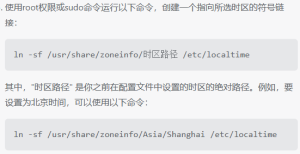
关于海思3559C修改默认时区的探索 UTC改为上海时区(正八区)嵌入式Linux设置时区
1 背景 在使用3559C开发板过程中发现我自己编译的官方SDK固件同步NTP服务器的时间要比公司的固件晚8个小时,公司的固件显示时间是北京时间。相差八个小时,这个时间比较巧,首先想到的就是时区...
3年前
海思3559C实现OSD字符叠加的探索(二)最新版本SDL和SDL_ttf的从编译到使用支持透明背景,彩色字体
海思3559C实现OSD字符叠加的探索(一)详细介绍了编译的过程,本文适合快速上手,快速编译,如无特别说明,代码版本与上文保持一致。 经过上文的探索,发现可以不主动去编译FreeType这里就省略...
3年前
海思3559C实现OSD字符叠加的探索(一)交叉编译FreeType2、SDL2、SDL2_ttf
本文是对FreeType2、SDL2、SDL2_ttf这三个库的交叉编译研究,可以为交叉编译提供参考,完全按照该步骤会做一些无用功。如果想要快速使用,请参考文章 : 海思3559C实现OSD字符叠加的探索(二)S...
3年前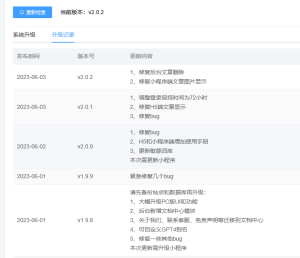
小狐狸ChatGPT付费创作系统延长PC端登录超时时间
需求说明在使用PC端过程中发现登录超时时间太短了,大概二三十分钟没操作就得重新扫码登录,而且过期后没有提示,只有当再次发送内容的时候才会提示登录超时,辛辛苦苦码的字一下子就刷新消失了...
3年前
PeopleSoft 9.2 – PeopleTools 8.58 VirtualBox Installation(索引)Step By Step Guide
搬运备用 原文博客https://mani2web.wordpress.com/ Hello everyone! Hope everyone is doing good and staying safe! Four years ago, I had shared a step-by-step guide for instal...
3年前
PeopleSoft 9.2 – PeopleTools 8.58 VirtualBox Installation(一)Getting Started
Here‘s the link to the main post. This post assumes that you have a Windows based host. I had completed the installation on Windows 10 running on a Lenovo laptop with a dual-core ...
3年前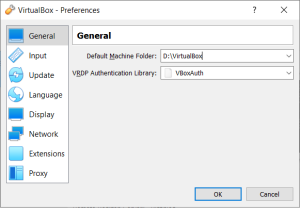
PeopleSoft 9.2 – PeopleTools 8.58 VirtualBox Installation(二)Creating the VM Shell File
Link to the main post Once you’ve pressed the enter key from the Part-1, you’ll start seeing the following on the command prompt: Starting the PeopleSoft Environment Setup Proces...
3年前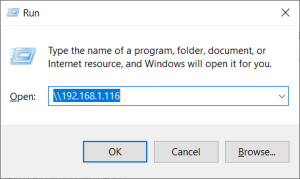
PeopleSoft 9.2 – PeopleTools 8.58 VirtualBox Installation(三)PeopleTools Installation
Link to the main post So, if you’ve come this far, you should be able to access the PeopleSoft home page without any issues In this post, let us look at installing PeopleTools. Fi...
3年前