

最新文章第19页
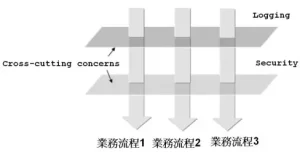
什么是AOP?面向切面编程(AOP)的理解
什么是AOP? AOP全称Aspect Oriented Programming意为面向切面编程,也叫做面向方法编程,是通过预编译方式和运行期动态代理的方式实现不修改源代码的情况下给程序动态统一添加功能的技术。 AOP...
 5年前
5年前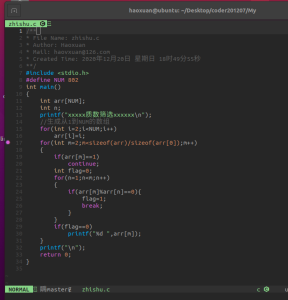
C语言数组练习题删除法筛选质数
我写的筛选质数的思路是: 1.先生成2到NUM直接的全部整数(代码上面哪个注释写错了,没改过来) 2.第一层循环 从2循环到上一步生成的数组成员总数,自增变量为m。第二层循环是遍历从1到m,自增...
6年前
linux如何mount挂载磁盘并设置开机自动mount
fdisk -l # 查看可挂载的磁盘 df -h # 查看已经挂载的磁盘 mkfs.ext4 /dev/vdb # 初始化磁盘,格式是ext4,注意这里会格式化可挂载磁盘 mount /dev/vdb /u01 # mount 磁盘到/u01,保证/u01为空 bl...
6年前
海思3559C交叉编译OpenSSH:实现高效安全的SCP、SFTP文件传输
为什么想要使用SSH? 海思3559C默认支持telnet、FTP以及NFS等多种方式来实现板端调试,其中Telnet虽然方便,但安全度欠佳,且不支持文件传输。为了更好地学习和掌握3559C,我们进一步寻求挑战,...
3年前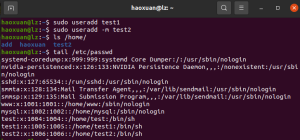
Linux用户与用户组基础用户和用户组的基本操作
相关的三个文件 1. 用户文件:/etc/passwd root:x:0:0:root:/root:/bin/bash 用户名:x:uid:gid:描述:HOME:shell 1.用户名(不能相同) 2.口令位 3.uid(不同用户可以使用相同的uid) 4.gid(默认组...
6年前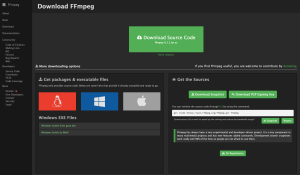
嵌入式平台交叉编译FFmpeg 6.1.1 动态库 实现rtsp解码
官方介绍About FFmpeg FFmpeg是一个领先的多媒体框架,能够解码、编码、转码、复用、解复用、流媒体传输、过滤和播放几乎所有由人类和机器创造的内容。它支持最不为人知的古老格式,直到最前沿...
2年前世界,您好!天煜博客终于来了!
我是谁? 天煜博客(www.itianyu.cn) 我在哪? 郑州景安快云VPS 我要干什么? 记录生活,记录成长,分享学习经验。 天煜博客的起名: 煜的拼音是yù。 一般意思为光耀,照耀,例...
8年前
MySQL用户管理:添加用户、授权、删除用户
添加用户 以root用户登录数据库,运行以下命令: create user zhangsan identified by 'zhangsan'; 上面的命令创建了用户zhangsan,密码是zhangsan。在mysql.user表里可以查看到新增用户的信息...
8年前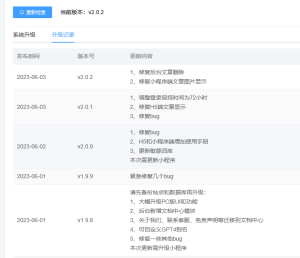
小狐狸ChatGPT付费创作系统延长PC端登录超时时间
需求说明在使用PC端过程中发现登录超时时间太短了,大概二三十分钟没操作就得重新扫码登录,而且过期后没有提示,只有当再次发送内容的时候才会提示登录超时,辛辛苦苦码的字一下子就刷新消失了...
3年前
万字+图解 Redis,面试不用愁了!
今天,我不自量力的面试了某大厂的java开发岗位,迎面走来一位风尘仆仆的中年男子,手里拿着屏幕还亮着的mac,他冲着我礼貌的笑了笑,然后说了句“不好意思,让你久等了”,然后示意我坐下,说...
5年前